
Repediu
Explanation
The integration consists of Repediu carrying out a search for all the answers made on Falaê platform in which the customer identified. If the customer has a request linked to the Repediu platform, the response is linked to the customer. If the customer is not registered with Repediu, he is registered in the lead format and, when he makes a purchase, he is automatically transformed into a customer.
How to Configure integration in Falaê
- Access the Integrations section (item 1 in the image).
- Select integration with Repediu (item 2 in the image).
- Activate the integration and copy the token.
- Access the Repediu system
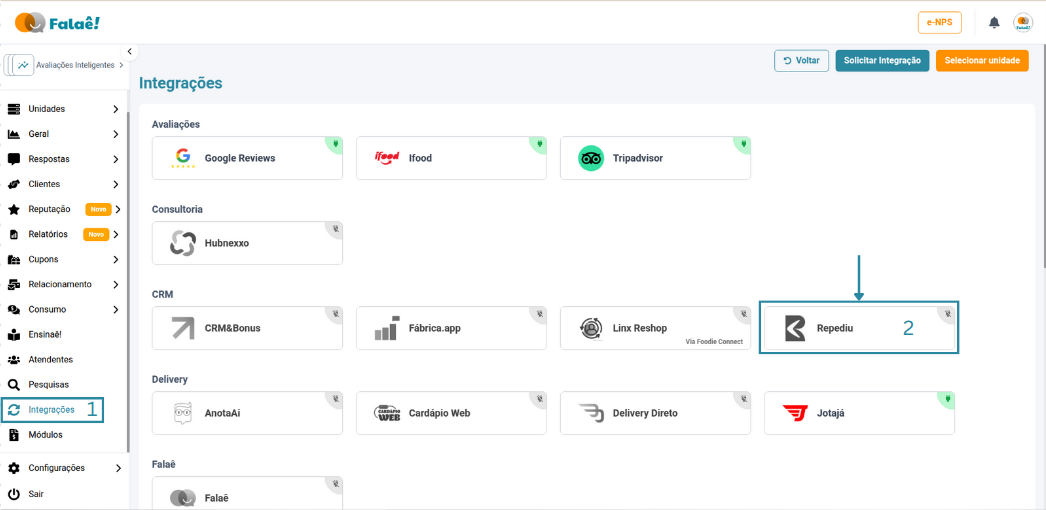
Integration screen - Repediu
How to Configure integration on the Repediu
- Access the Integrations section (item 1 in the image)
- Select integration with Falaê in the Survey Platform for Restaurants submenu (item 2 in the image)
- Select the Company (item 3 in the image)
- Paste the Token (item 4 in the image)
- Enable integration (item 5 in the image)
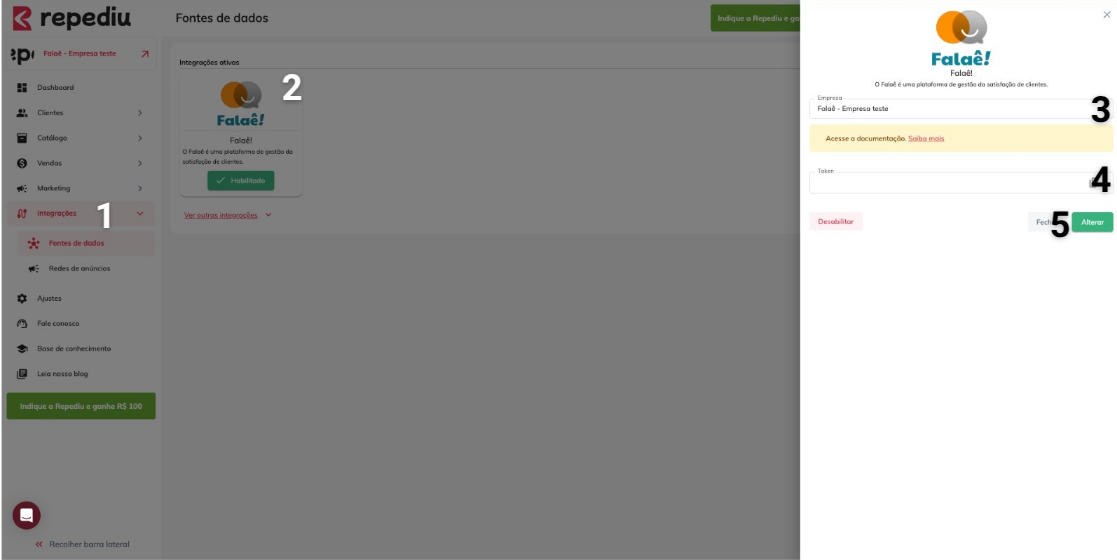
Integration screen on the Repediu