
Botconversa
Explanation
All customers registered with Falaê are sent to Botconversa with the addition of a specific Tag, selected at the time of integration. With this Tag, it is possible to create automations within the Botconversa platform.
How to Configure the Integration
- Access the Botconversa platform
- Access the Settings part.
- Access the Tags screen
- Create a new label (Item 3)
- Fill out the form and register (Item 4)
- Access Integrations (Item 5) and copy the Webhook Topic API Key
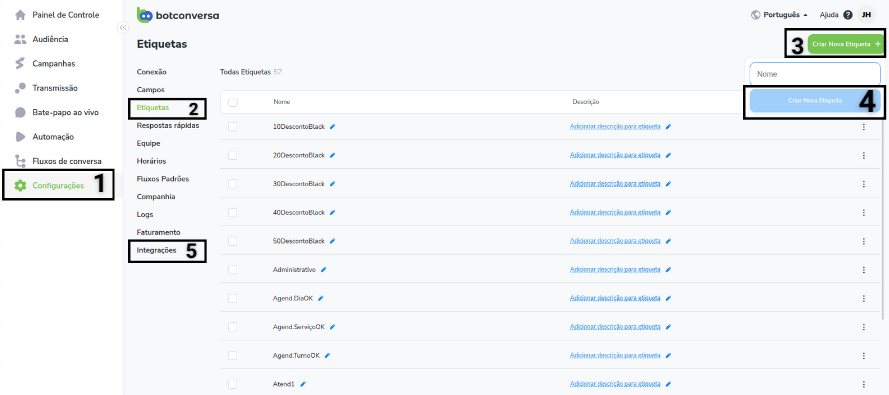
Creating Label - Botconversa
- Copy the API Key (Item 6)
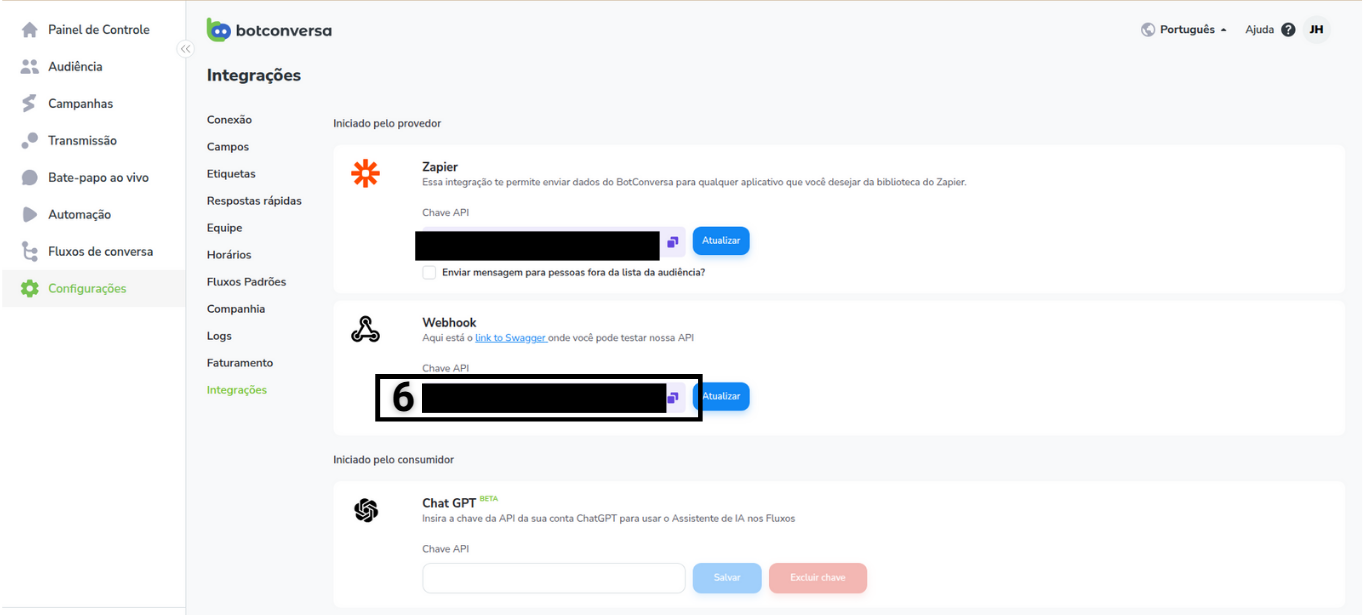
Copying API Key
- Return to Falaê system and access the Integrations screen.
- Search for integration with Botconversa.
- Add the key copied from item 7 and proceed.
- Select the registered Label and click Configure.
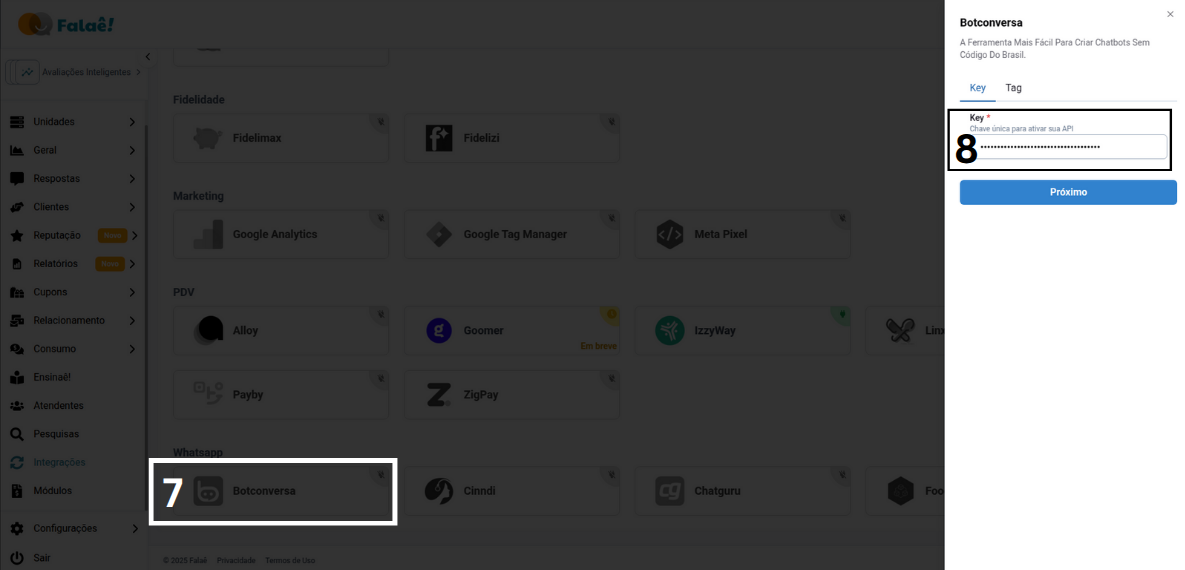
Falaê integration screen - Botconversa